Tutorial 4 of 7
Ratings from every match
Intermediate 8 min
Turn mixer scores, bracket results and logged games into Elo and Glicko-2 ratings, save snapshots and see who moved since last month.
Ratings in Fieldday come from the Elo & Glicko Rating Lab. You do not have to type games twice: scored mixer matches and tournament results flow into the rating log automatically.
1. Where the games come from
Open Ratings with the Chess club: ladder ratings and round robin template loaded.
- Game log — games you enter by hand with Log a game: date, player, result (win, draw, loss) and opponent.
- Games from events — every scored court of a mixer night (each doubles match counts as four individual pairings) and every decided tournament match, as long as Count scored matches in the ratings / Count results in the ratings is on for that event.
Fieldday rates the latest 200 games per run. Older games are listed but not sent.
2. Settings
In Rating settings:
- Elo K-factor — how fast Elo moves.
- Glicko-2 τ (volatility constraint) — how much volatility may change.
- Starting RD for rated players — how sure the Rating column of your roster is. Players without a rating start at 1500, RD 350.
- Rating periods — one per event (club night, tournament or date), one per week or one per month. Glicko-2 updates once per period.
3. Rate players
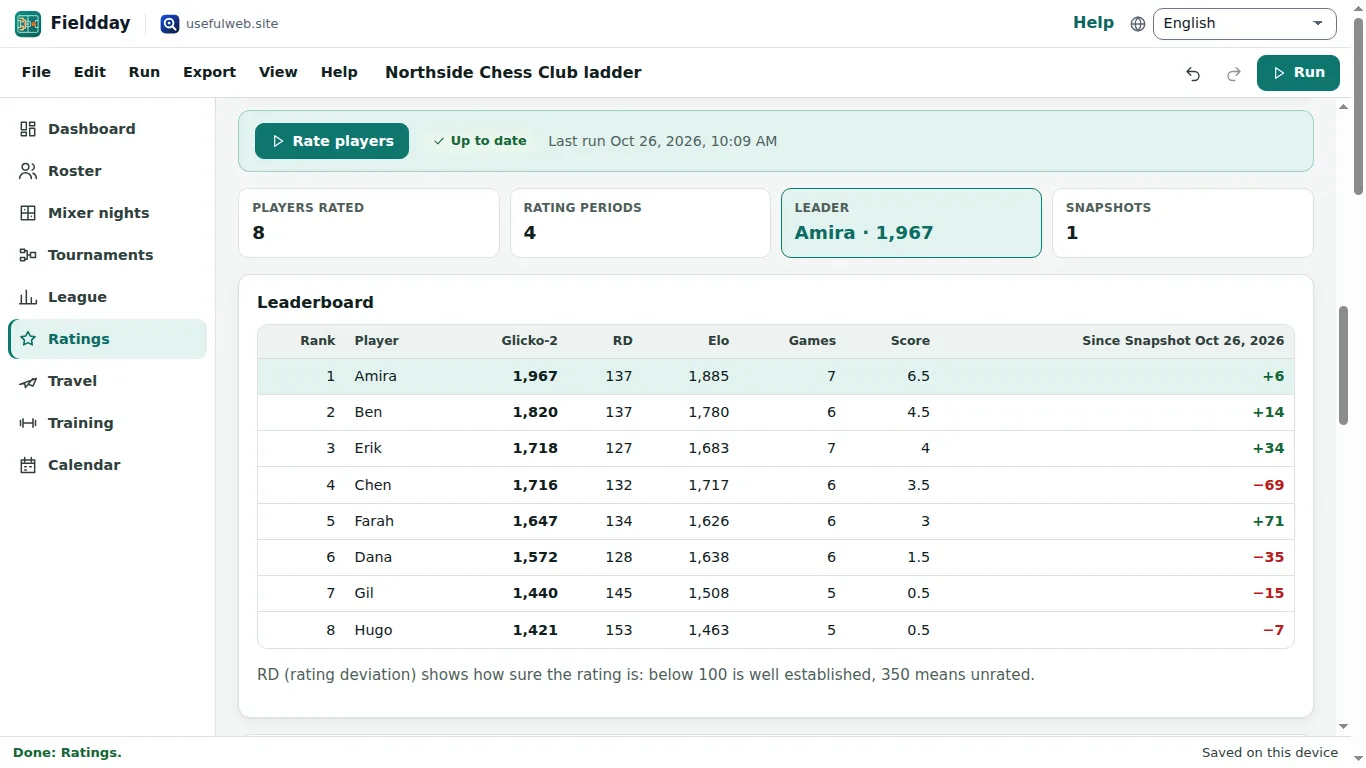
Click Rate players. The Leaderboard lists Glicko-2 rating, RD, Elo, games and score. Rating history charts each player over the periods, and Rating periods shows which games went into each one.
Win probability compares two players with Compare.
4. Snapshots: who moved?
Click Save snapshot after a run. Later — after the next club night or tournament — run the ratings again. The last column of the leaderboard becomes Since Snapshot … and shows the change per player. Snapshots over time keeps a list, and you can choose which snapshot to compare with.
The dashboard's Rating leaders card and the club report use the same numbers. Export → Ratings (CSV) writes the full table.
Ready to try it?