Tutorial 9 of 10
Pass-the-phone vote and party teams
Beginner 5 min
Let everyone rank the options privately on one phone, get the winner by Borda, instant runoff and Condorcet with a plain explanation, and split the group into balanced teams.
1. Set up the vote
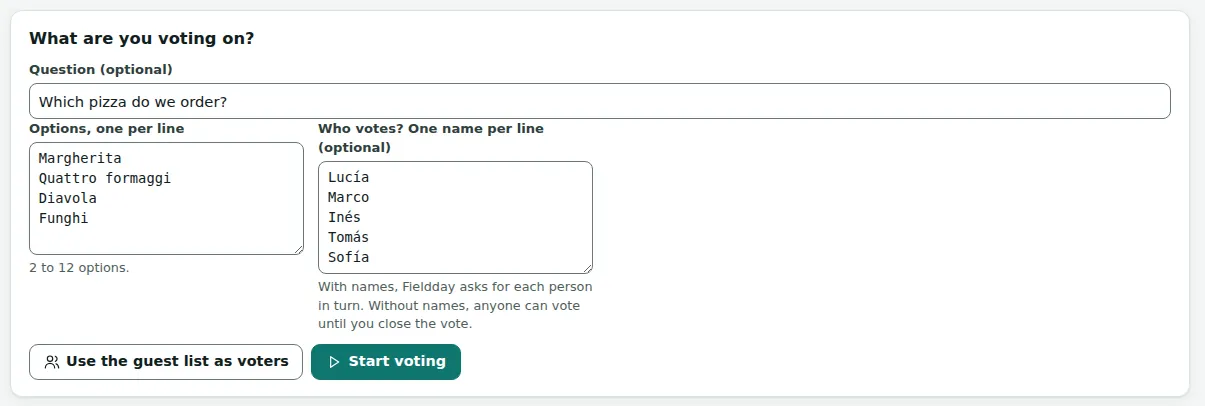
Open Party picks and choose Pass-the-phone vote. In What are you voting on? type an optional Question, such as which pizza to order, and the Options, one per line (2 to 12).
Under Who votes? One name per line (optional) you can list the voters, or press Use the guest list as voters. With names, Fieldday asks for each person in turn. Without names, anyone can vote until you close the vote. Press Start voting.
2. Pass the phone round
The screen says Pass the phone to …. The named person presses I am … — show my ballot (or Show my ballot without names), puts the options in their order with the arrow buttons — best first — and presses Cast my vote. Every ballot starts in a new random order, so the first option has no advantage.
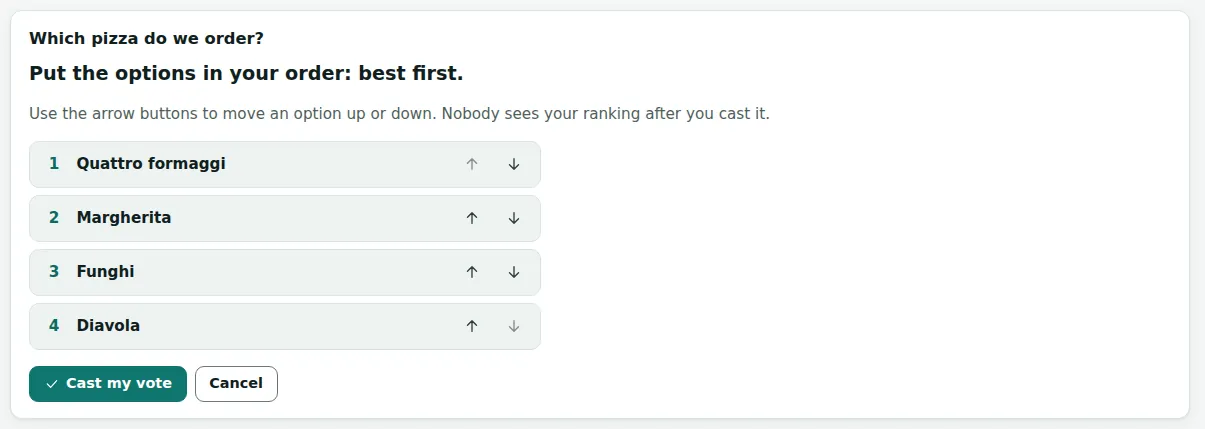
After casting, the screen goes back to Pass the phone to …. It never shows a ballot again: ballots are stored without names and in random order. Votes cast shows how many people have voted so far.
3. Count and read the result
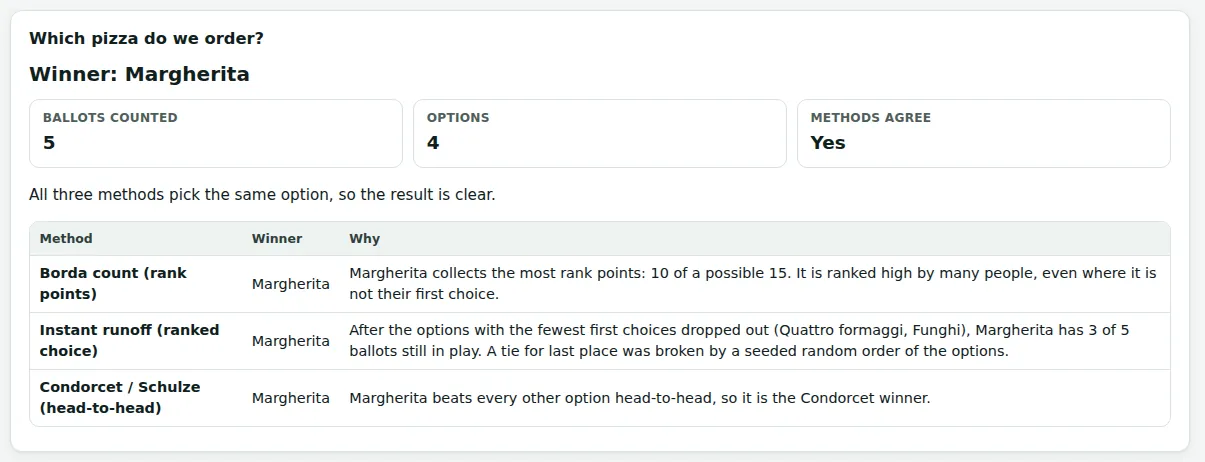
When everyone has voted, press Close the vote and count (you can also close early; missing ballots do not count). Fieldday shows the Winner and a table Winner by method with a sentence for each method:
- Borda count (rank points) — each place earns points; the option ranked high by many people wins.
- Instant runoff (ranked choice) — the option with the fewest first choices drops out and its ballots move on, until one option has a majority.
- Condorcet / Schulze (head-to-head) — the option that beats every other one head-to-head; if preferences go round in a circle, Schulze follows the strongest chains.
If the methods disagree, the winner follows Condorcet/Schulze. The count in detail lists the Borda points, every runoff round and all head-to-head results. Vote again with the same options keeps the options and clears the ballots; New vote clears everything.
4. Split into teams
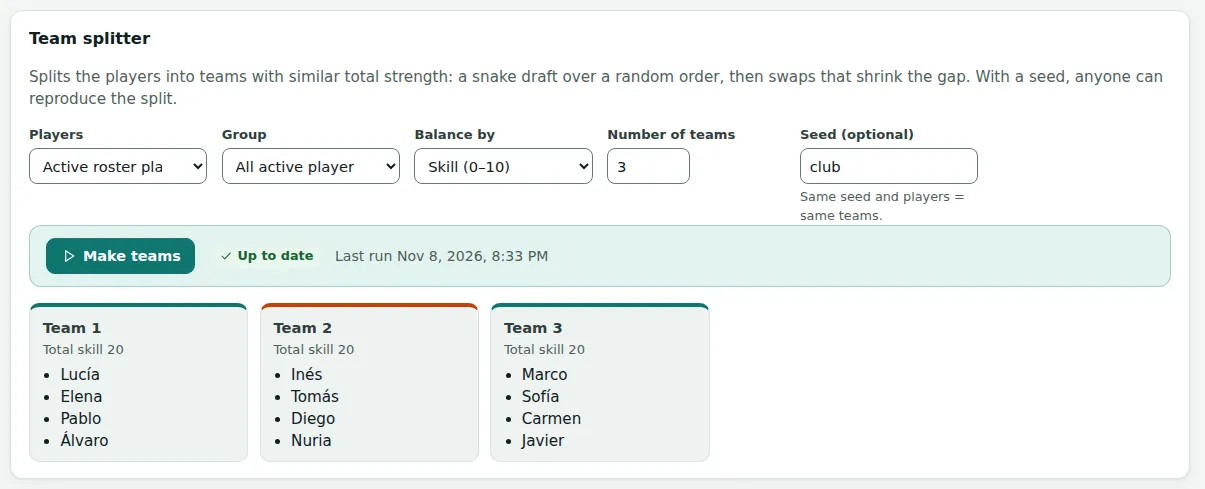
Choose Teams. Under Players pick Active roster players (optionally one Group) or the Guest list. Balance by decides what the teams are balanced on: Skill (0–10), Starting rating (Elo/Glicko) or No balancing (random). Set the Number of teams and an optional Seed, then press Make teams. Guests who are also on the roster bring their skill and rating with them.
The same Balance by choice is also available in the Balanced teams card under Roster.
Ready to try it?