Tutorial 8 of 10
Party picks — plinko, wheel and a provable draw
Beginner 6 min
Pick names with a physics plinko board or a weighted wheel, show a fingerprint before the draw and let anyone check afterwards that nothing was steered.
1. Open Party picks and add the names
Open Party picks in the section list (shortcut 0). The buttons at the top switch between Plinko, Wheel, Pass-the-phone vote and Teams.
On Plinko, type the people under Names, one per line in the card Who is in the draw?, or press Use the active roster players to copy the roster. Under Board choose the Peg rows and how many Names to pick: every pick drops one ball, and a picked name leaves the board.
2. Lock the draw with a fingerprint
In the card Fair draw in three steps, press Show the fingerprint. Fieldday creates a random secret and shows its SHA-256 fingerprint. Read it out, show the screen or press Copy fingerprint and post it in your group chat — before anyone drops a ball.
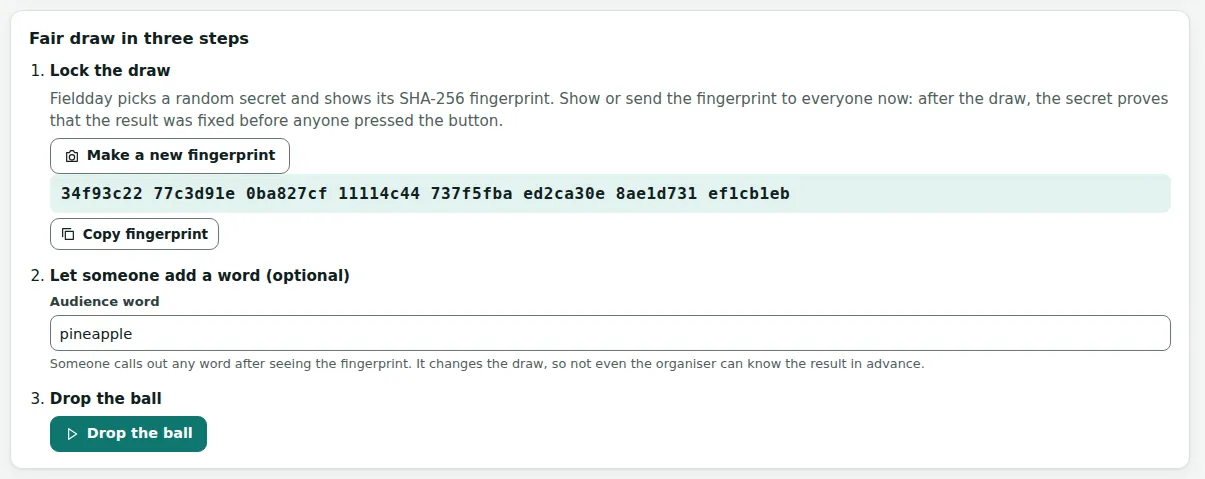
If you change a name or a setting afterwards, Fieldday says so and asks you to show a new fingerprint: the old one no longer fits the draw.
3. Add an audience word and drop the ball
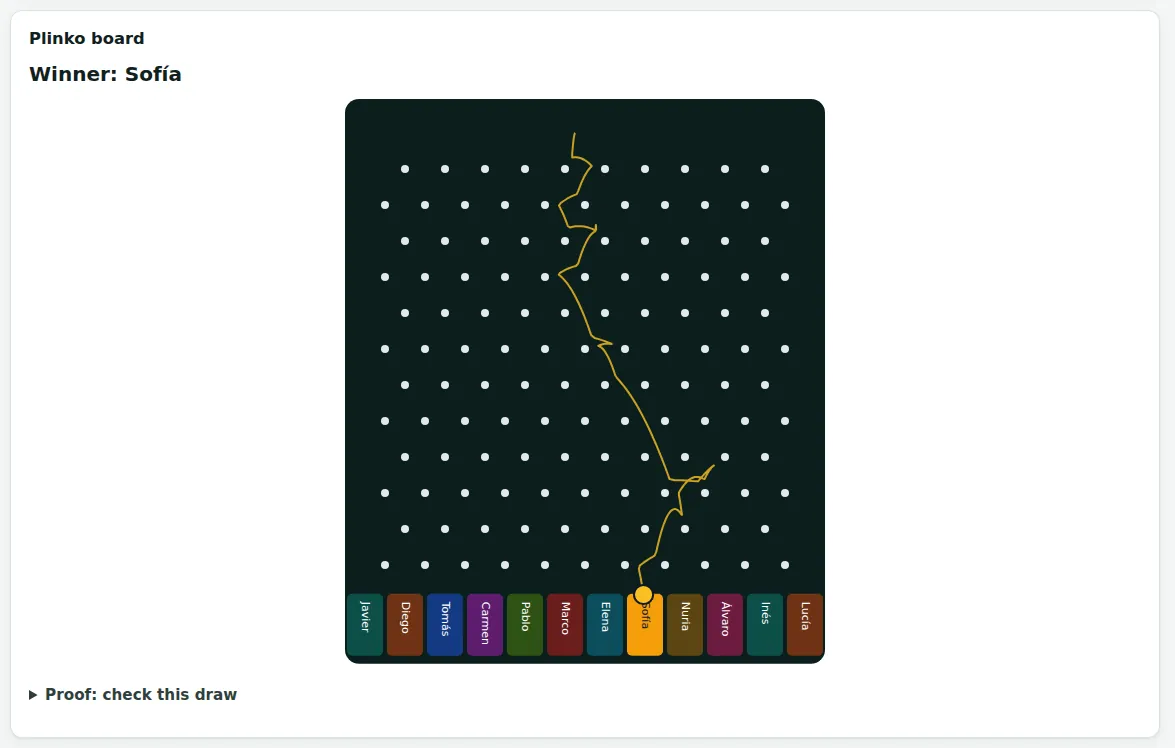
Ask someone to call out any word and type it into Audience word. The word changes the draw, so not even you can know the result in advance. Then press Drop the ball. The names are shuffled onto the slots, the ball bounces through the pegs and the slot it lands in wins. With Reduce motion switched on in your system, the result appears without the animation.
Every name has the same chance: each one holds equally many slots, and the shuffle before each drop evens out that the board favours its middle.
4. Spin a weighted wheel
Switch to Wheel. Add segment adds options, or Use the guest list takes the names from the plinko list. Each segment has a Weight: weight 3 is three times as likely as weight 1, and the Chance column shows the exact odds. Set Spins and whether to Remove each winner before the next spin, then use the same three steps: Show the fingerprint, Audience word, Spin the wheel.
5. Check a draw
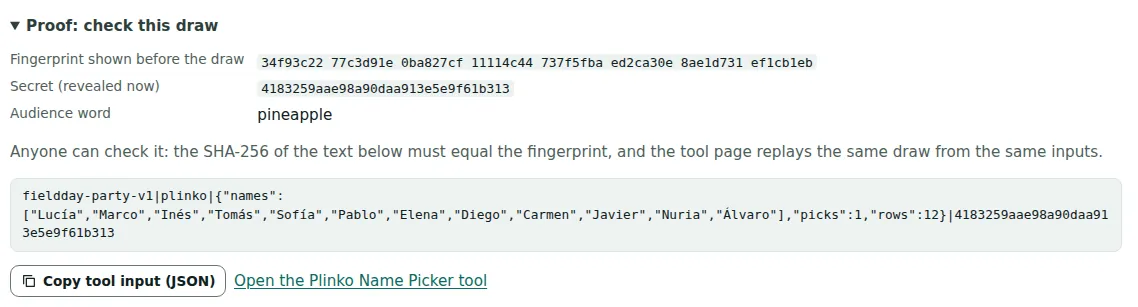
Under every result, open Proof: check this draw. It shows the fingerprint from before the draw, the secret (revealed now), the audience word and the exact text whose SHA-256 is the fingerprint. Copy tool input (JSON) copies everything another person needs; the link opens the Plinko Name Picker or the Wheel Spinner tool page, which replays the same draw.
Finished draws are kept in Draw history. Replay and check recomputes a draw and tells you whether the secret matches the fingerprint and the result is the same. Download draw history (CSV) and Export → Party draws with proofs (CSV) save the list with all proofs.
Ready to try it?